What is the difference between a statement and an equation?
Clicking New statement or equation opens the Select statement type window. There you can choose a statement from one of the topics, or an equation from the Equations topic.
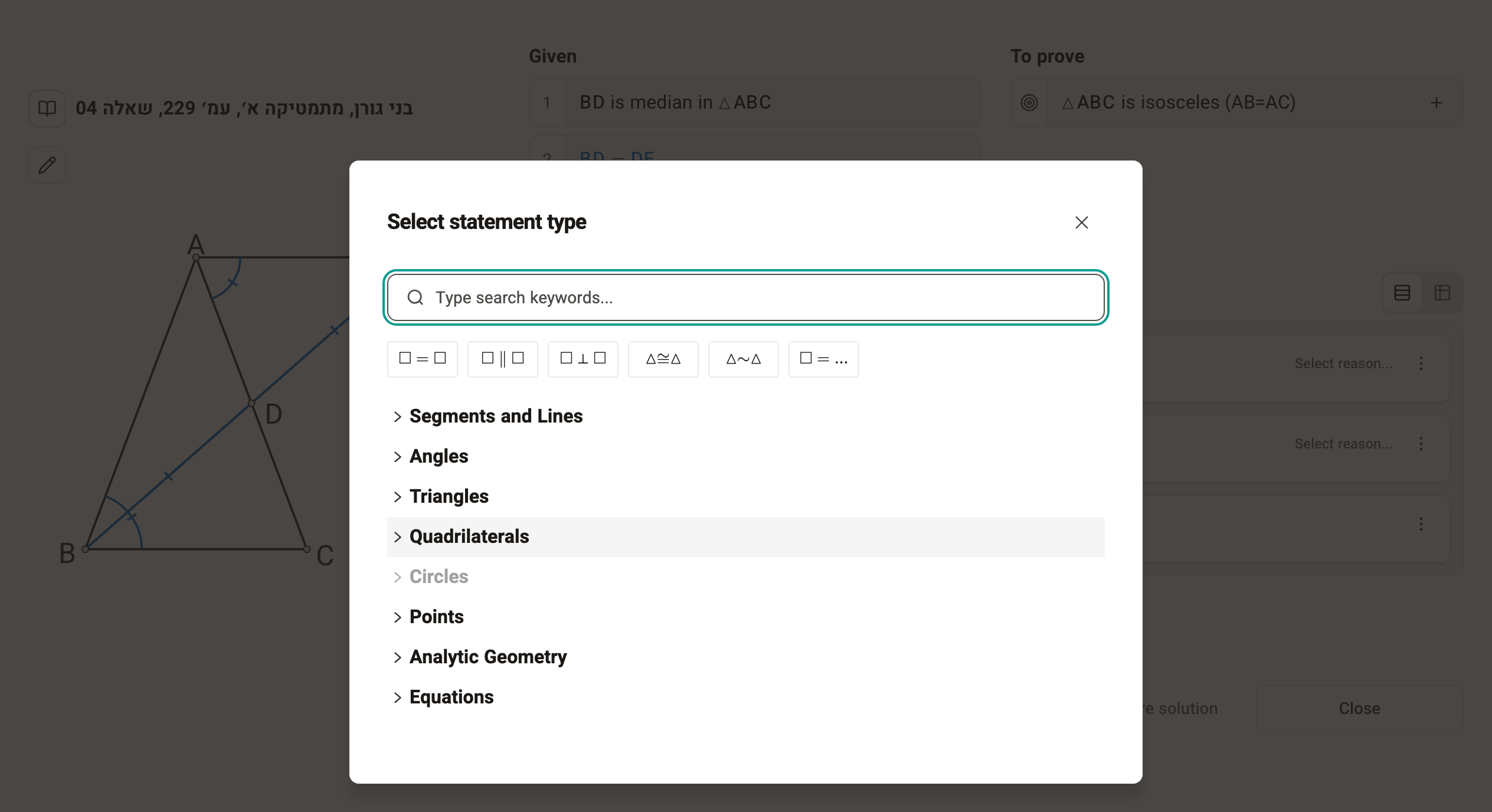
Statement
When you choose a statement type, you fill in elements from the diagram (segments, angles, triangles and so on) in the marked places.
Examples of statements:
- Equality/inequality of two segments/angles
- Congruent triangles
- Perpendicular/parallel lines
- The numeric size of an angle (∠ABC=50°)
- Types of polygons (the triangle is right-angled, the quadrilateral is a rhombus)
- Types of points and segments (the segment is an altitude, the point is where the medians meet)
- Defining notation
Equation
When you choose an equation, an equation editor opens that lets you use notation, fractions, powers and more.
An equation gives you more freedom in writing mathematical expressions, as long as it is an equality. Examples:
- An equality of 3 or more expressions (AB=BC=CD=AD)
- An equality with arithmetic (AB+3AD=2CD+EF)
- Writing powers, ratios, angles, areas, perimeters and more in mathematical notation, with the keyboard and the equation editor.
How do I know which to choose?
In FullProof the distinction between statements and equations is mostly technical, not mathematical: which kinds of statements each one can express, and how the system checks that row of the solution. So when you start working with the system, first try to add the statement you want through the diagram; if that doesn't work, try a statement, and if that doesn't work either, switch to an equation.