The equation editor
FullProof's built-in equation editor is a virtual keyboard for writing algebraic expressions quickly and easily.
Opening the equation editor
The equation editor opens in two situations:
- Choosing an equation in the proof: New statement or equation, then an equation from the Equations topic or from the shortcuts at the top of the window.
- Writing a value under Value in the menu of a segment or an angle in the diagram.
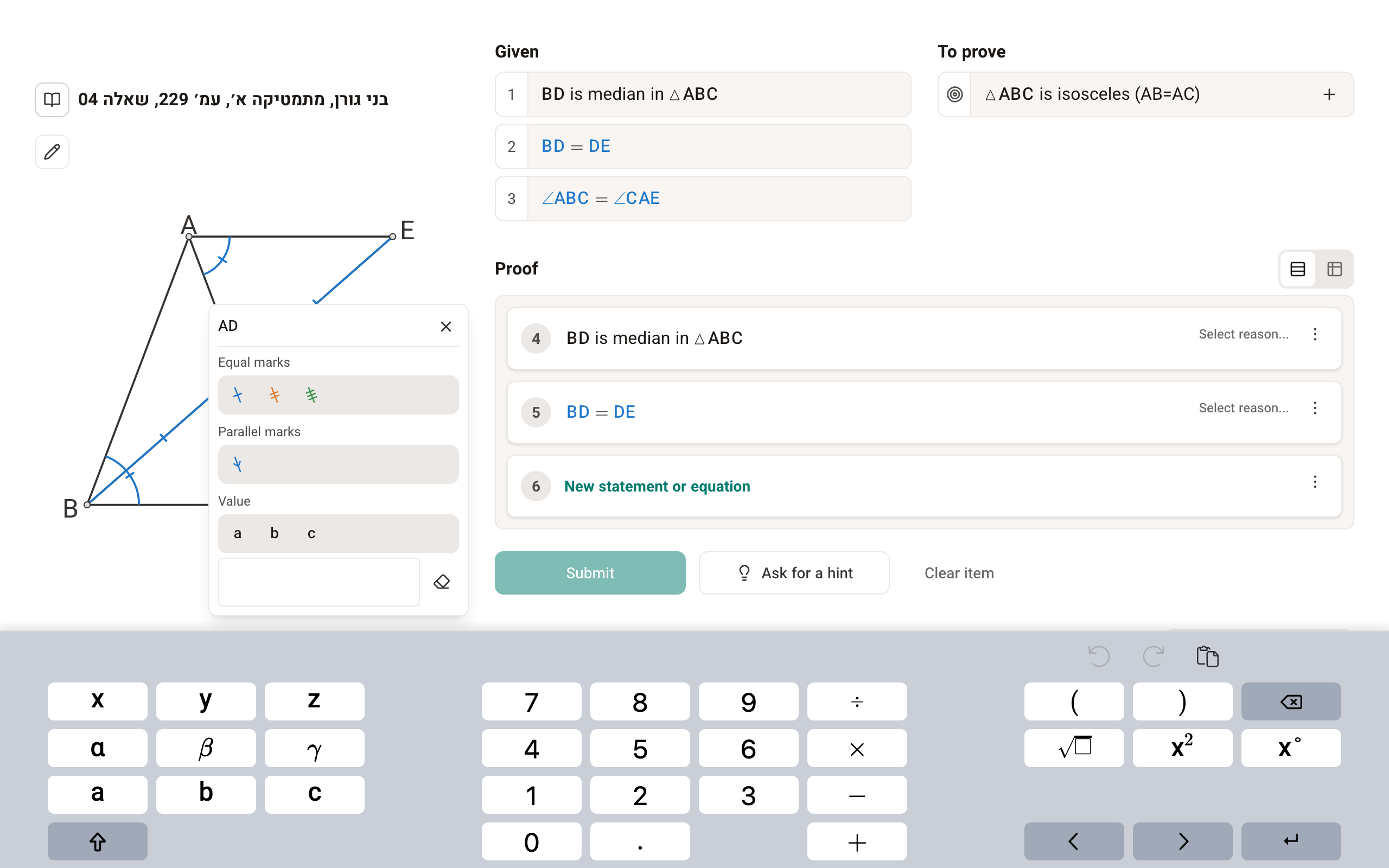
Using the equation editor
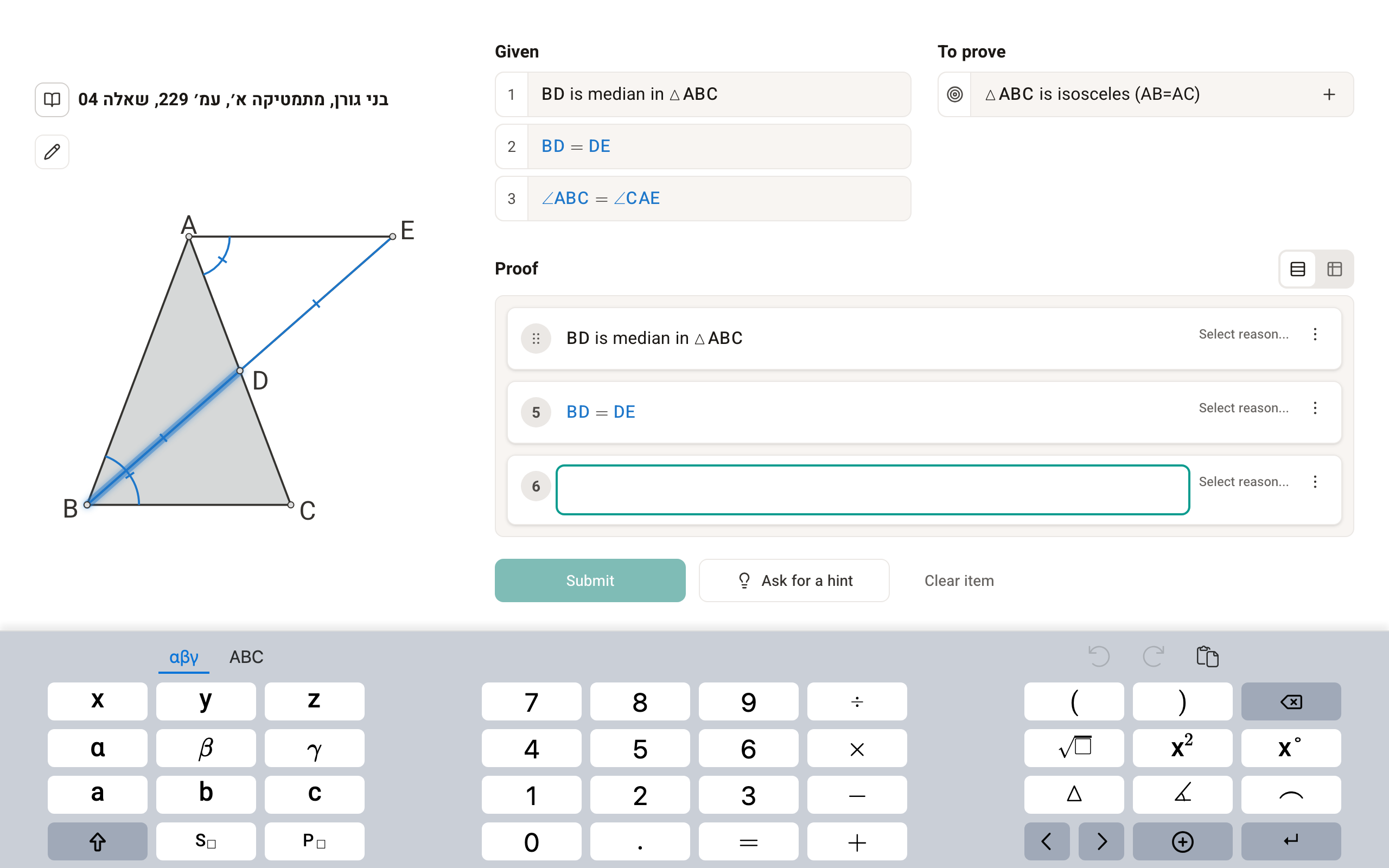
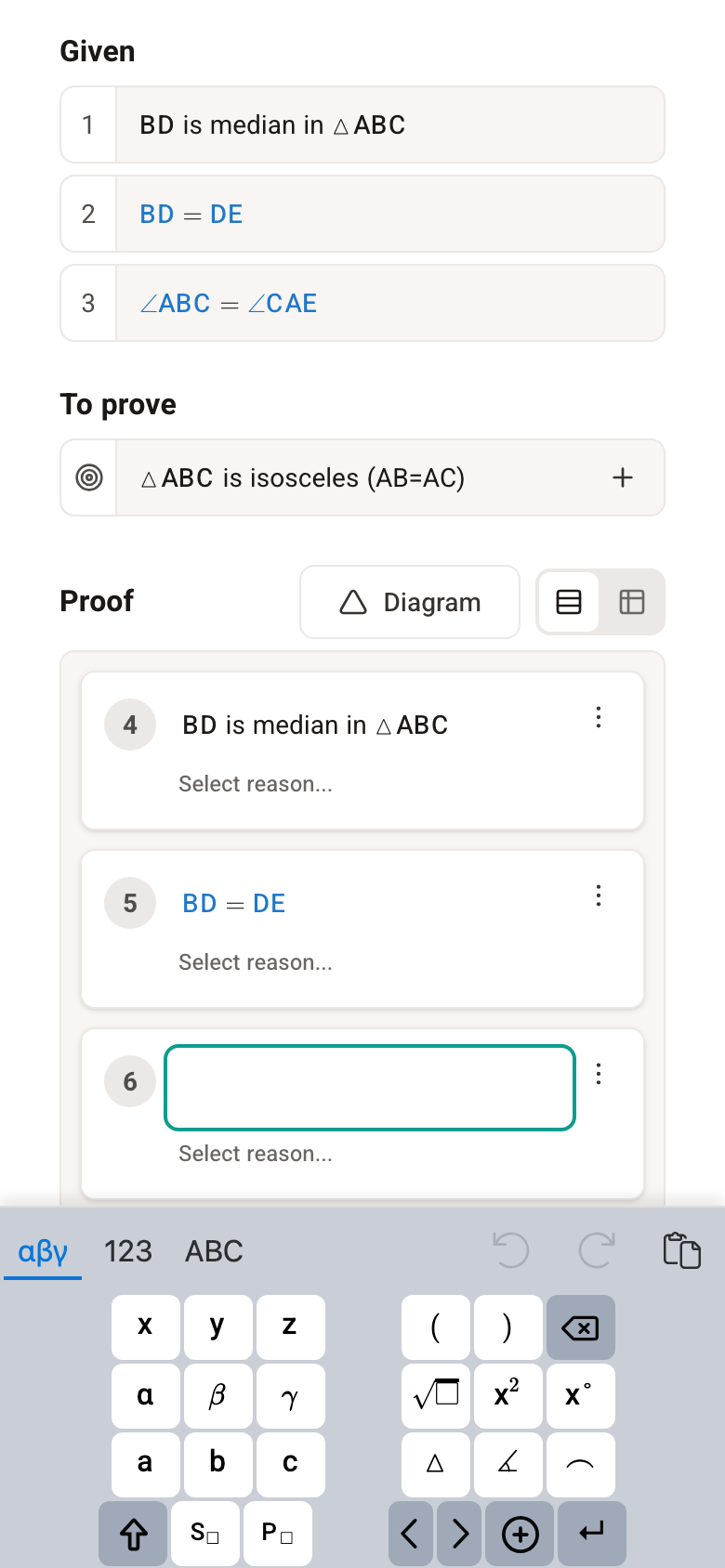
The equation editor offers several keyboards side by side, for different needs. Their layout changes with the width of the screen you work on.
2 keyboards on a wide screen:
and 3 keyboards on a narrow screen:
Using the computer keyboard and keyboard shortcuts
Alongside the virtual keyboard, you can keep using your computer's ordinary keyboard. For convenience we added keyboard shortcuts for the most useful keys:
| Keyboard shortcut | Matching key on the virtual keyboard |
|---|---|
| * | Multiplication |
| / | Division (shown as a fraction) |
| Alt-A | Angle sign |
| Alt-K | Degree sign |
| Alt-R | Square root |
| Alt-T | Triangle sign |
Trigonometric functions
In trigonometry questions you can write the trigonometric functions sin, cos and tan by typing their names on the computer keyboard.